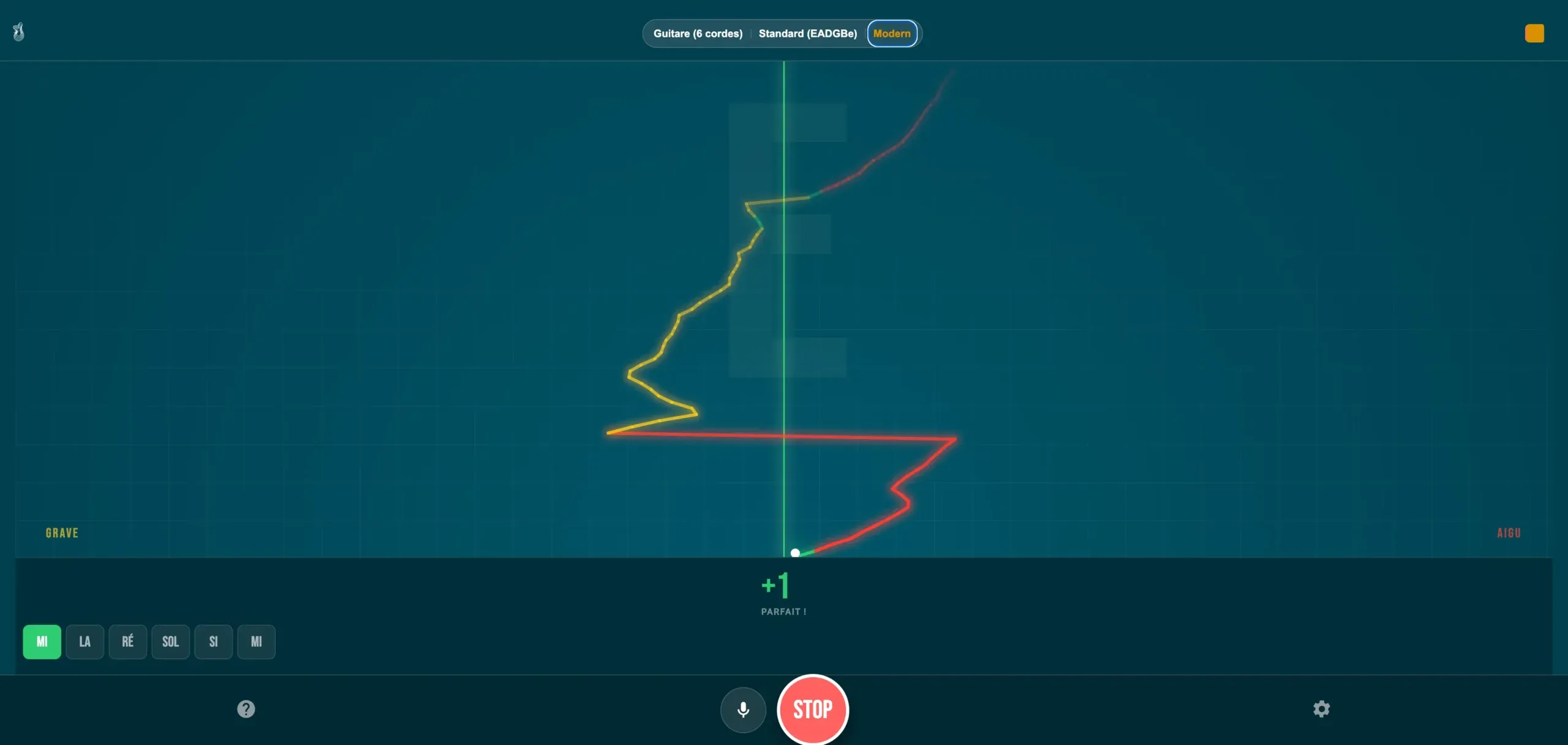
This is a free online guitar tuner that listens through your microphone. Play one open string, let the note settle, then aim for 0 cents. It is chromatic, so it reads any note, and it carries twelve tuning presets, from standard to DADGAD, plus bass and ukulele. No account, no download, nothing to install. It sits alongside the rest of our free guitar tools.
How to use this tuner
1. Allow the microphone
Press Start and accept the microphone prompt. Nothing is recorded or uploaded: the signal is analyzed in your browser and discarded.
2. Find a quiet room
Turn off the fan, the television and anything else that hums. A quiet room is the single biggest difference between a steady reading and a needle that will not sit still.
3. One string at a time
Play one open string, mute the others with your palm, and wait for the reading to settle. Then aim for 0 cents: too low, tighten the string; too high, loosen it.
Acoustic or electric guitar: what changes
Acoustic guitar
The body does the work for you. Hold the soundhole fairly close to the microphone, a hand's width or so, and play with a normal pick attack rather than a hard one. A hard attack starts sharp and falls back, and the tuner shows you that fall instead of the real pitch of the string.
Electric guitar
An unplugged electric is quiet, and the microphone struggles. Either plug the guitar into an audio interface, or play through an amp at low volume near the microphone. Keep the sound clean: distortion adds harmonics that the detection has to fight. Let the note bloom and settle before you touch the peg.
If the tuner does not hear your guitar
Nine times out of ten the tuner is working and something between your guitar and the browser is not. Here is the list, in the order worth checking.
- Your browser. Recent versions of Chrome, Safari, Firefox and Edge all read the microphone. If yours has not been updated in a long while, update it before you look for anything else.
- HTTPS and the permission prompt. A browser only hands the microphone to a page served over HTTPS, which this one is. If you refused the prompt once, the browser remembers and will not ask again: open the padlock in the address bar, set the microphone back to allow, and reload the page.
- Permissions on a phone. On iOS and Android there are two gates, not one. The page asks you, and the browser app itself needs microphone access in the system settings. A tuner that never shows a prompt at all is usually blocked at that second gate.
- The page inside a frame. If the tuner is embedded in another
site, the frame has to carry
allow="microphone". Without it the request is refused before you ever see a prompt. - Another app holding the microphone. A video call, a voice recorder or another audio app can keep the input to itself. Close it and reload.
- A Bluetooth headset or speaker. Pair one and your computer often switches the input to its microphone, which is next to your ear rather than your guitar, and built to flatten everything that is not a voice. Choose the built-in microphone in your sound settings, or disconnect the Bluetooth device while you tune.
- The input level. Too quiet and the reading never arrives; too loud and it clips, which makes the needle jump between two notes. If you are playing through an amplifier, turn it down and move back a little rather than up and closer.
If none of that helps, or the device simply has no microphone, you can still tune: use the reference pitch buttons further down the page to sound an A, then tune the guitar to itself with the fifth fret method. The whole method is on how to tune a guitar.
Alternate tunings
Pick a tuning in the menu above the tuner and it will show you the strings
of that tuning instead of standard. You can also open one straight from
the address of this page, by adding a tuning parameter, which is
handy if you keep coming back to the same one.
Standard
E A D G B E
The default tuning, and the one almost every lesson, tab and chord chart assumes. Start here unless a song tells you otherwise.
Opens with ?tuning=standard
Eb standard
Eb Ab Db Gb Bb Eb
Everything drops a half step, so the chord shapes you already know stay the same. Singers use it to bring a song into a comfortable range.
There is also a dedicated half step down tuner page.
Opens with ?tuning=eb
Drop D
D A D G B E
Only the low E string moves down to D. You get a power chord under one finger, and the five other strings stay standard.
There is also a dedicated Drop D tuner page.
Opens with ?tuning=dropd
Drop C
C G C F A D
Drop D, then a whole step lower across the neck. Heavier strings help here, because the tension drops a long way.
There is also a dedicated Drop C tuner page.
Opens with ?tuning=dropc
Open D
D A D F# A D
The open strings already sound a D major chord. A straight barre across any fret gives you another chord, which is why slide players live in it.
There is also a dedicated Open D tuner page.
Opens with ?tuning=opend
Open G
D G D G B D
An open G major chord, the backbone of a lot of blues and country slide playing. Many players also drop the sixth string out of the way.
There is also a dedicated Open G tuner page.
Opens with ?tuning=openg
DADGAD
D A D G A D
Neither major nor minor, so it stays open and ambiguous under a melody. Common in Celtic and fingerstyle playing.
Opens with ?tuning=dadgad
Bass, 4 and 5 strings
E A D G, or B E A D G
A bass sits an octave below a guitar, and a low B is near the floor of what a microphone and a browser can read. The bass presets widen the analysis window for exactly that reason. Play close to the microphone and let the note ring. There is also a dedicated bass tuner page.
Opens with ?tuning=bass4 or ?tuning=bass5
Ukulele
G C E A, low G, or D G B E
Standard ukulele tuning is G C E A with a high G, which is why the fourth string sounds higher than its neighbor. Low G swaps that string for one an octave down. A baritone is tuned D G B E, like the top four strings of a guitar. There is also a dedicated ukulele tuner page.
Opens with ?tuning=uke, ?tuning=ukelowg or
?tuning=ukebaritone
A4 at 440 or 432 Hz
The reference pitch is the A the whole tuning is built from. The tuner defaults to 440 Hz, which is what records, backing tracks and other guitarists use. Pick 442 Hz if you are playing with an ensemble or a piano that sits a little higher. Pick 432 Hz only to play along with a recording that was tuned that way: it is not a truer pitch, just a different reference, and on your own it only makes you sound flat to everyone else.
Tuning by ear, without a tuner
Worth learning, because it trains your ear and because one day you will have a guitar and no phone. The method is the fifth fret, and it goes in one direction.
- Get one string right first. The low E is the usual choice, from a piano, another guitar or the reference pitch above.
- Press the fifth fret of the low E string. That note is an A, the same note as the open A string next to it. Play them one after the other, then together, and tune the open string until the two stop beating against each other.
- Repeat the same move for the next pairs: fifth fret of A gives you open D, fifth fret of D gives you open G.
- The B string is the exception. Use the fourth fret of the G string, not the fifth.
- Then back to the fifth fret, this time on the B string, to tune the high E.
- Finish by playing a chord you know well. If it sounds sour, a small error early on has traveled all the way up, so start again from the string you trust.
The full guide, with the harmonics method as well, is on how to tune a guitar.
Why your guitar goes out of tune
A guitar that will not stay in tune is usually not a broken guitar. Three ordinary causes cover most of it.
- New strings stretch. A fresh set keeps settling for the first few hours of playing. Tune, play for a few minutes, tune again, and repeat. It stops on its own.
- Temperature and humidity move the wood and the strings. A guitar carried in from the cold, or left next to a radiator, will be out of tune when you open the case. Give it time to come to room temperature before you chase it.
- The tuning machines may be the problem. If one string in particular drifts, look at the peg: a loose machine head, or a string wound badly around the post, lets tension creep out. Two or three tidy turns down the post, with no overlap, hold far better than a bundle.
Pressing too hard on the strings, heavy bending and a poorly cut nut all add to it. If you tune, play one song and find yourself flat every time, it is worth having the nut and the strings looked at.
Frequently asked questions
Does it work on a phone?
Why does the needle jump around?
How accurate is this tuner?
Can I tune a bass or a ukulele?
bass4 and bass5 for four and five string bass, and uke, ukelowg and ukebaritone for ukulele.What is the difference between a chromatic tuner and a guitar tuner?
Is it really free?
Who made this
Guitar Social Club is the work of Yohann Abbou, a guitar teacher in Paris. He teaches adults, which shapes everything here: people with jobs, limited practice time and a clear idea of the songs they want to play.
His teaching runs on a scale of eight levels, L1 to L8. The point of a scale is honesty: it lets a song be called easy only when it really is easy for the player in front of you. That is the same reason this tuner shows you cents rather than a green light.
The rest of our free guitar tools work the same way: in the browser, no account, built because a student needed it.