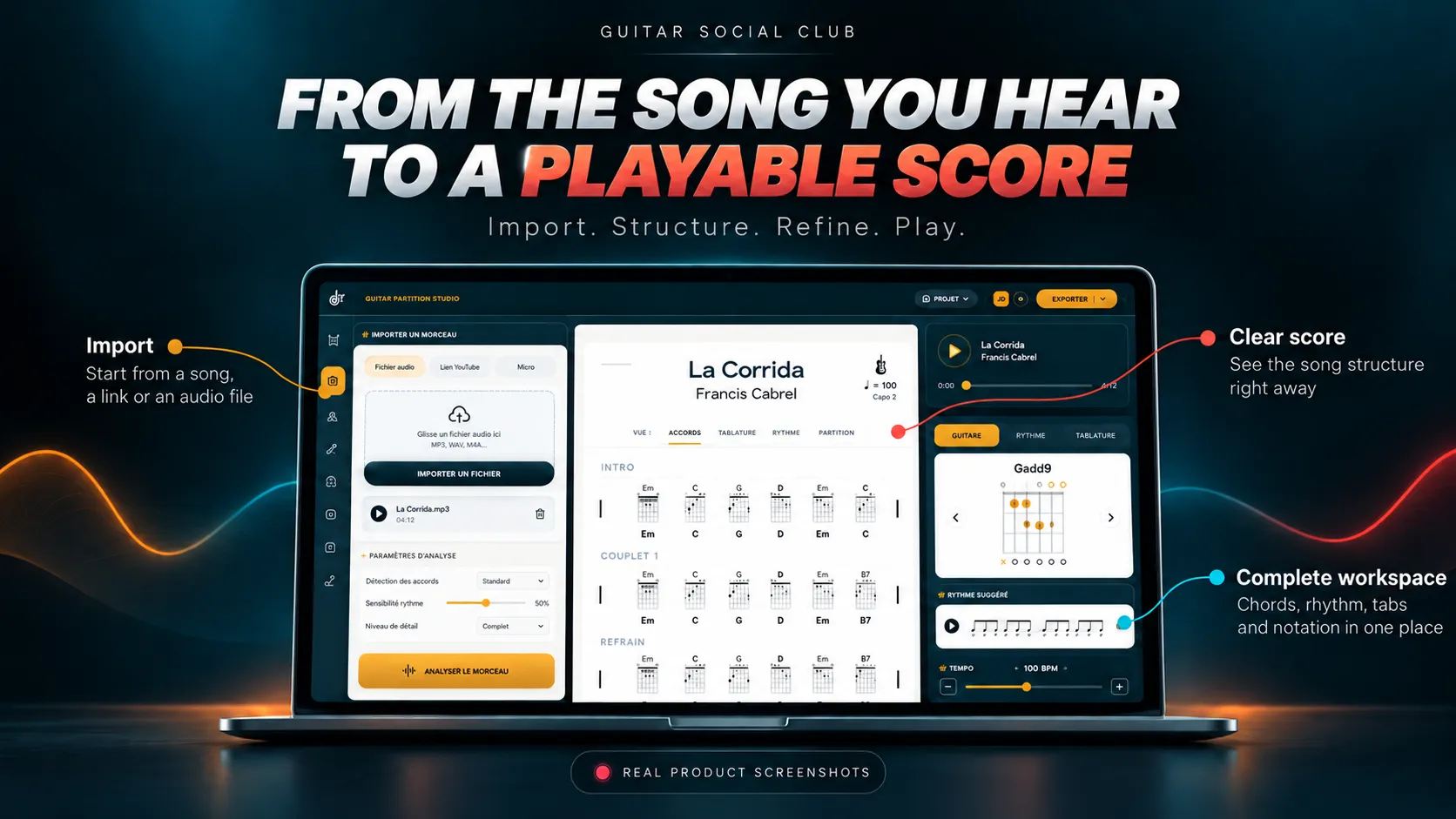
Guitar Partition Studio: from the song you hear to a playable score
Three ways to write without typing
The keyboard is there for precision. But much of the arrangement can be written in other ways, changing how you transcribe music.
AI drafts the song; you verify it
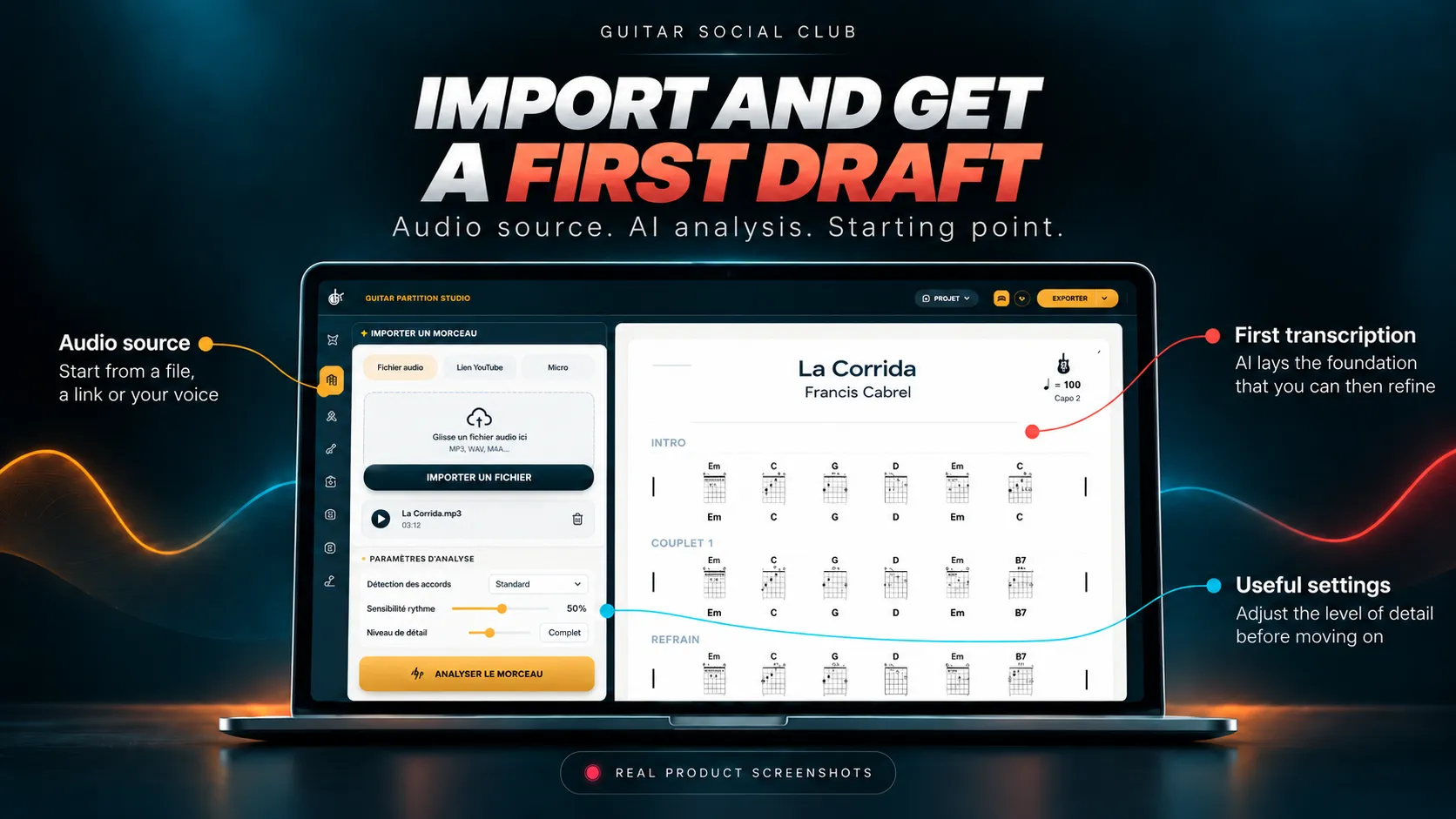
Start from audio, a local file or a YouTube link. Harmonic Studio AI lays out the sections, chord chart and chords. The app explains that checking by ear remains your job and gives you the playback tools to do so.
Write without typing
Dictate chords aloud—G, D, Em, C—or sketch with a stylus, mouse or finger. AI turns your input into notation: a rehearsal notebook cleaned up automatically.
Play guitar and the tab appears
Audio-to-Tab listens as you play and writes tablature. Conversely, the editor can play the written tab aloud at the song's tempo, so you can check it by ear.
The complete journey from song to score
The workspace follows the actual process from top to bottom: import, draft, edit and play.
1. Import, then let AI create a draft
Open a YouTube link or local file in the player. Harmonic Studio AI establishes sections and a basic chord chart. Your musical judgment completes the transcription.
2. Edit precisely, or let your hands write
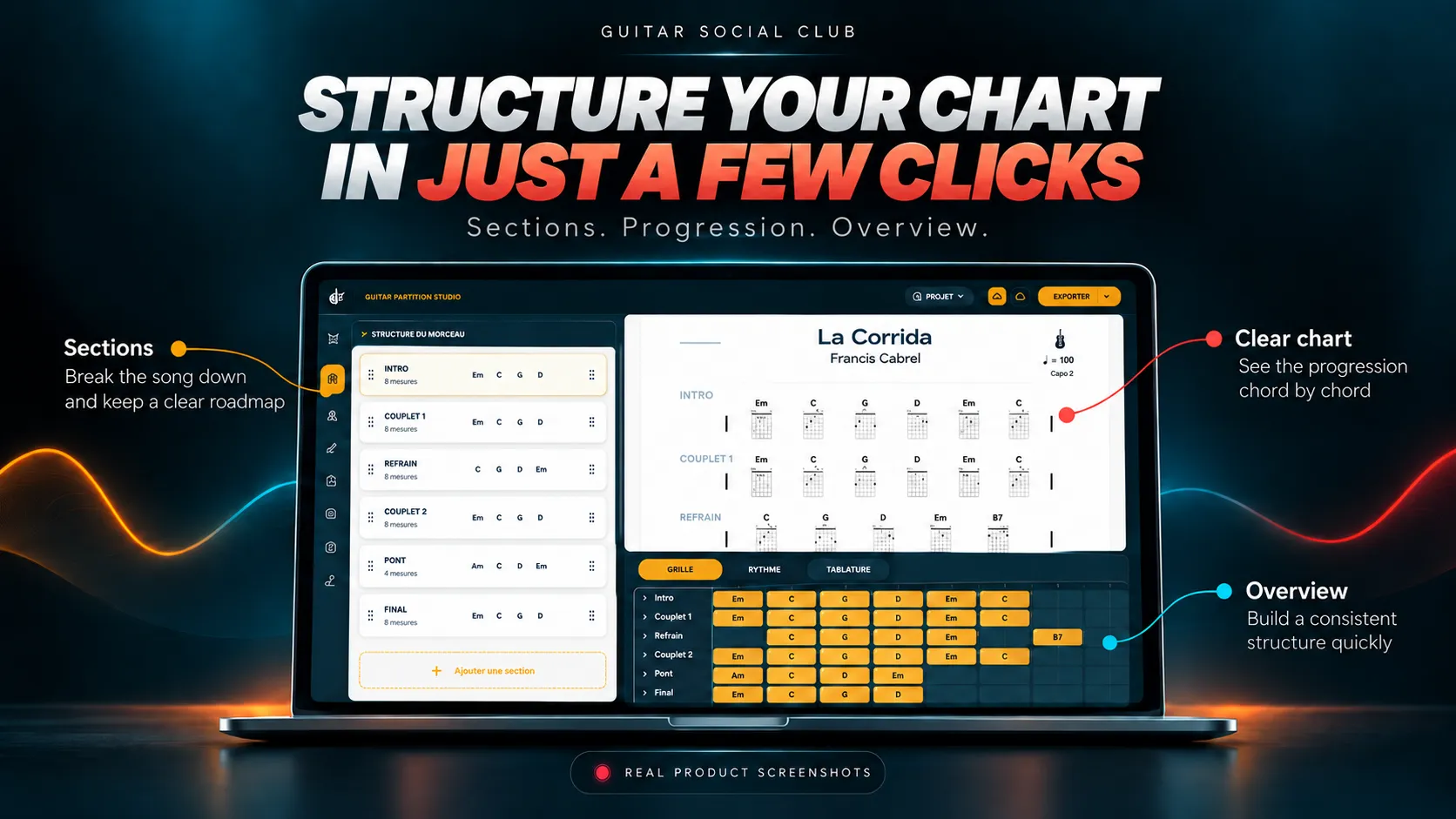
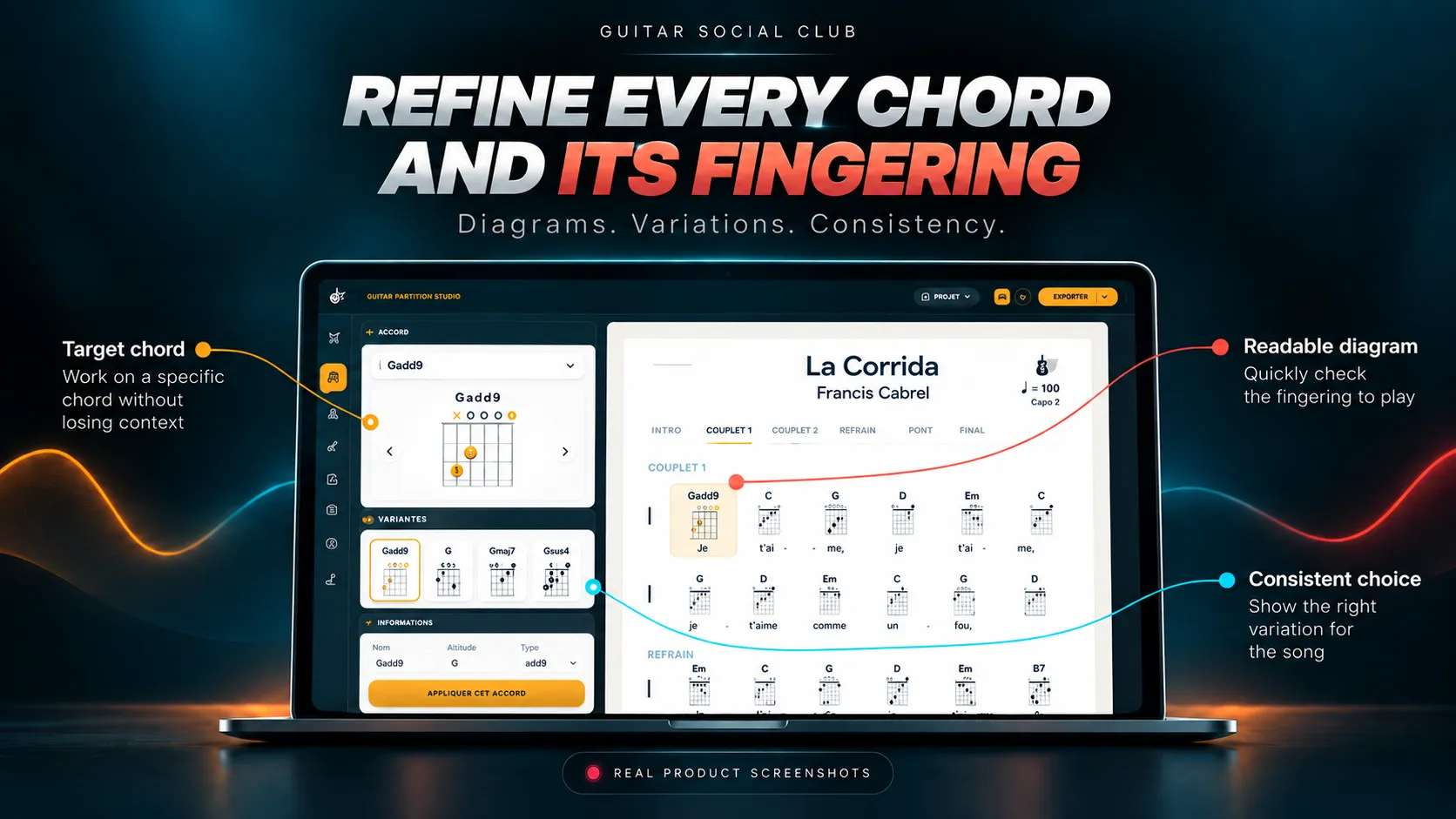
Adjust the chart bar by bar, choose fingerings, draw rhythmic patterns, and enter tablature by keyboard, voice or guitar performance using Audio-to-Tab.
3. Play and export
Rehearse with backing tracks, recording and a tempo-synced scrolling display. Export a PDF, shareable web page or multitrack MIDI file.
What working in the studio looks like
Import a song, draft a chord chart, refine the chords and keep your library organized: here is the app at work.
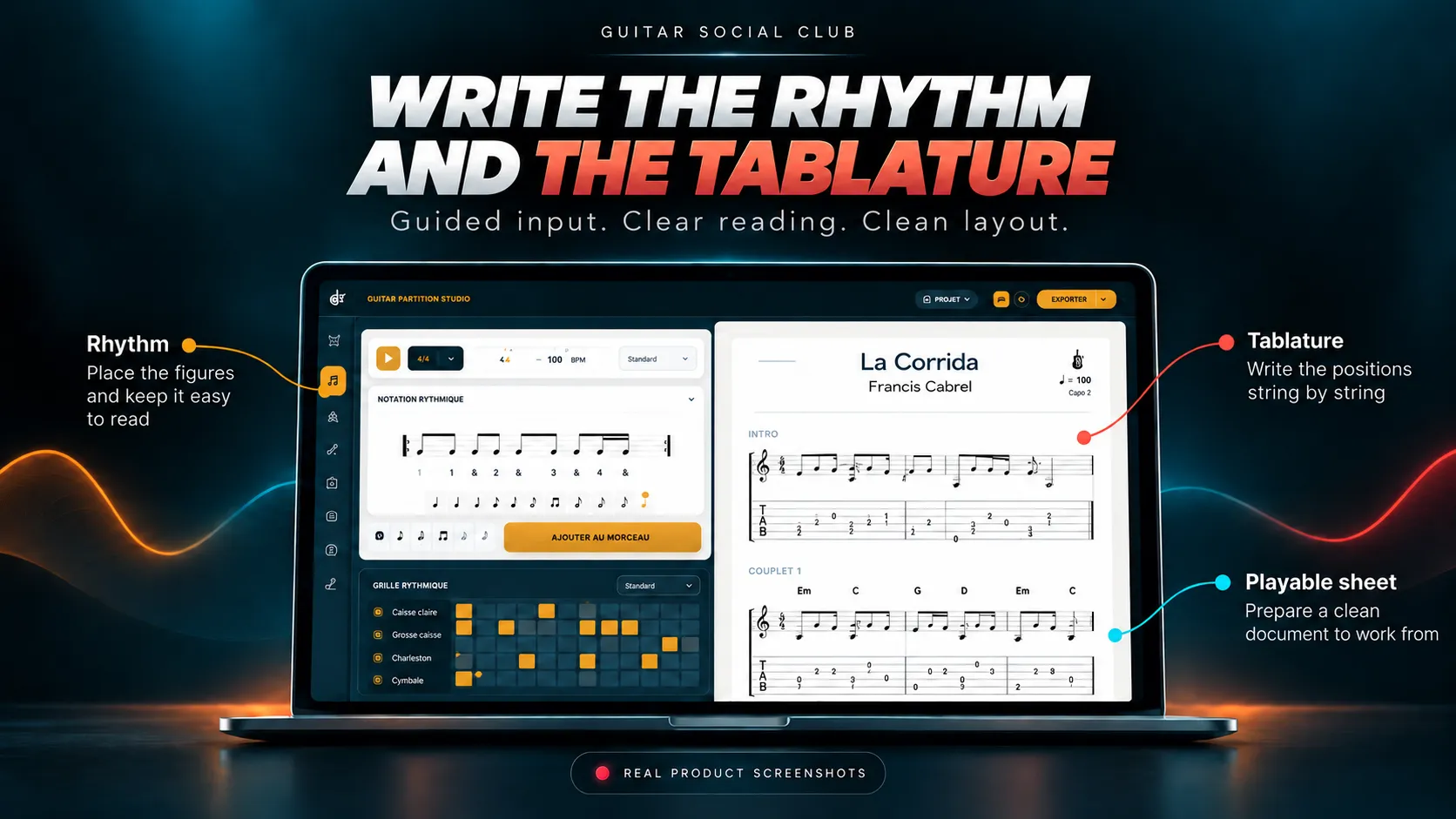
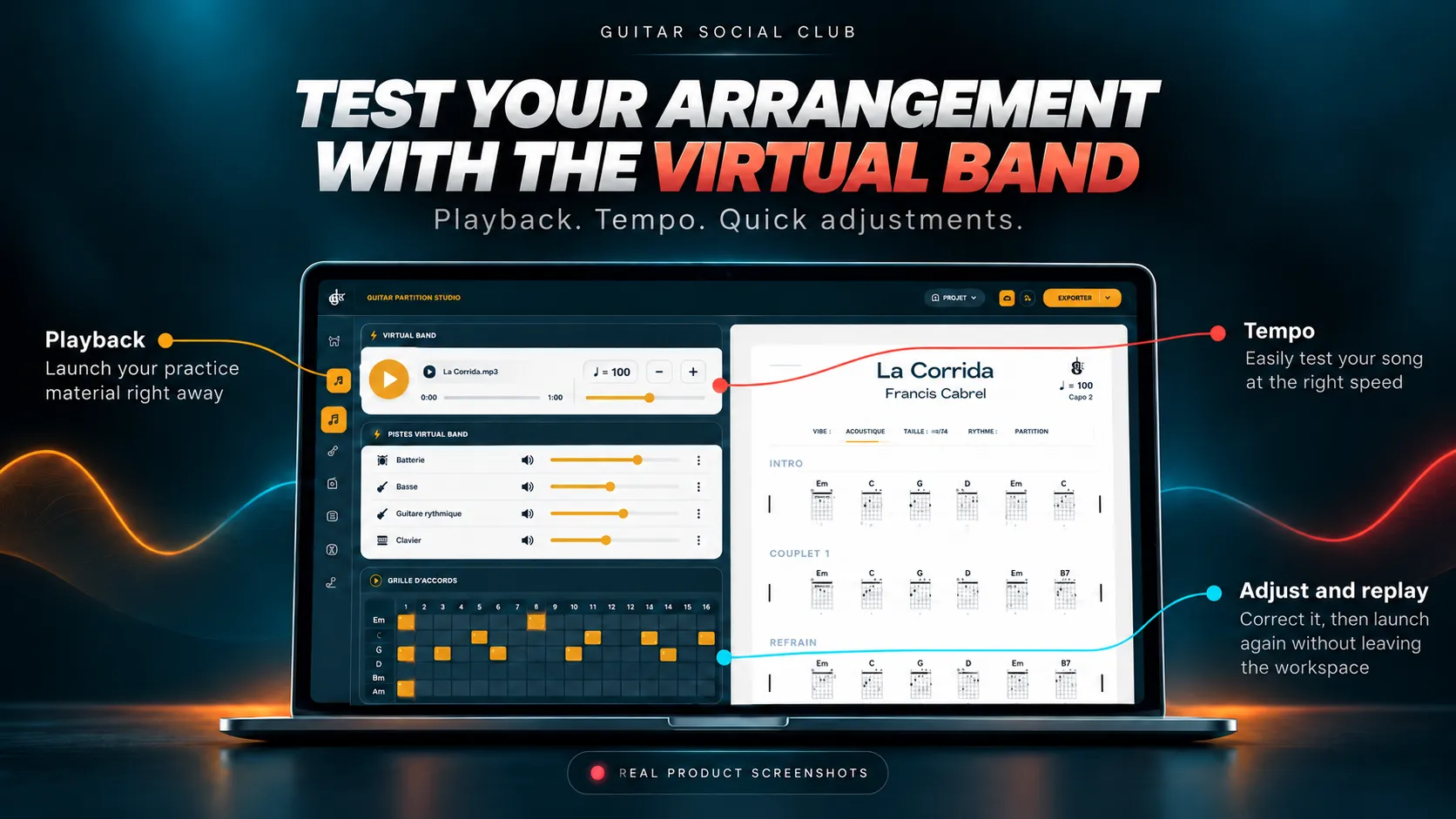
The app is in closed beta: join the waitlist
Partition Studio is currently being tested, song by song. Join the waitlist for launch updates and tell us what interests you most.
Already a Club member? The detailed guide, tool by tool is available in your account (sign-in required).
This app is for you if…
You hear a song but cannot work out how to play it
Transcribing is how you train your ear. AI drafts a chart from audio or YouTube, slow playback preserves pitch and an A–B loop repeats the passage while you edit the bar beside it.
A riff comes to mind and you do not want to lose it
Play it to create tablature or dictate the chords. Capture the idea and turn it into a properly formatted score, ready for PDF, high-resolution image or web export.
You transcribe music but never rehearse it
Build a backing track from YOUR chart, follow a tempo-synchronized prompter, record a WAV take and export multitrack MIDI to GarageBand, Logic or another DAW.
To see what makes a genuinely useful chord chart, read how to write a clear guitar chord chart, and if you are choosing between an editor, chord detector or audio transcription, this comparison can help.
Why this is more than a chord detector
Starting point
Guitar Partition Studio
Audio, video or YouTube: AI establishes the first draft
Without an integrated workspace
Copy everything manually and switch between disconnected tools
Editing
Guitar Partition Studio
Voice, stylus, playing guitar or keyboard for precision
Without an integrated workspace
Enter every note manually in a silent editor
Verification
Guitar Partition Studio
The score plays: hear what you wrote before rehearsing
Without an integrated workspace
Discover mistakes only during rehearsal
Export
Guitar Partition Studio
Professional PDF, shareable web page and multitrack MIDI
Without an integrated workspace
A screenshot or a file others cannot reopen
What makes it different
AI suggests; your ear decides
The app explicitly says AI supplies a first draft and listening verification remains yours, with slow playback, A–B looping and audio playback to help you decide.
A score that plays and listens
Hear your tablature played back to verify it, or have Audio-to-Tab write it as you play. The workflow goes in both directions.
A workshop, not just an editor
From transcription to performance: slow playback, chart editing, fingerings, rhythm, tab, backing tracks, recording and exports in one workflow.
80–95%
of the initial chord draft laid out by AI; the rest is up to your ear
3 ways
to write without typing: voice, stylus and guitar
1 click
to transpose every chord and the song's key
MIDI
multitrack export to GarageBand, Logic or any DAW
Ready to turn what you hear into music you can play?
Partition Studio is currently in closed beta. Join the waitlist to hear when it opens. In the meantime, create your first chart with the free editor or start a Guitar Social Club practice path.
Want to explore the wider ecosystem first? Explore our apps.
Further reading
Understand what AI can really transcribe
Before expecting perfect automatic tablature, understand what AI can accelerate and what still requires a musician. The guide to AI-assisted guitar tablature explains those limits clearly: that is exactly how Partition Studio approaches the task.
Partition Studio becomes part of your account. Your free Club stores your transcriptions and tools.